![Apollo_Logo_Red-White.png]](https://supportxe.apollocover.com/hs-fs/hubfs/Apollo_Logo_Red-White.png?height=40&name=Apollo_Logo_Red-White.png)
Go to your CRM.
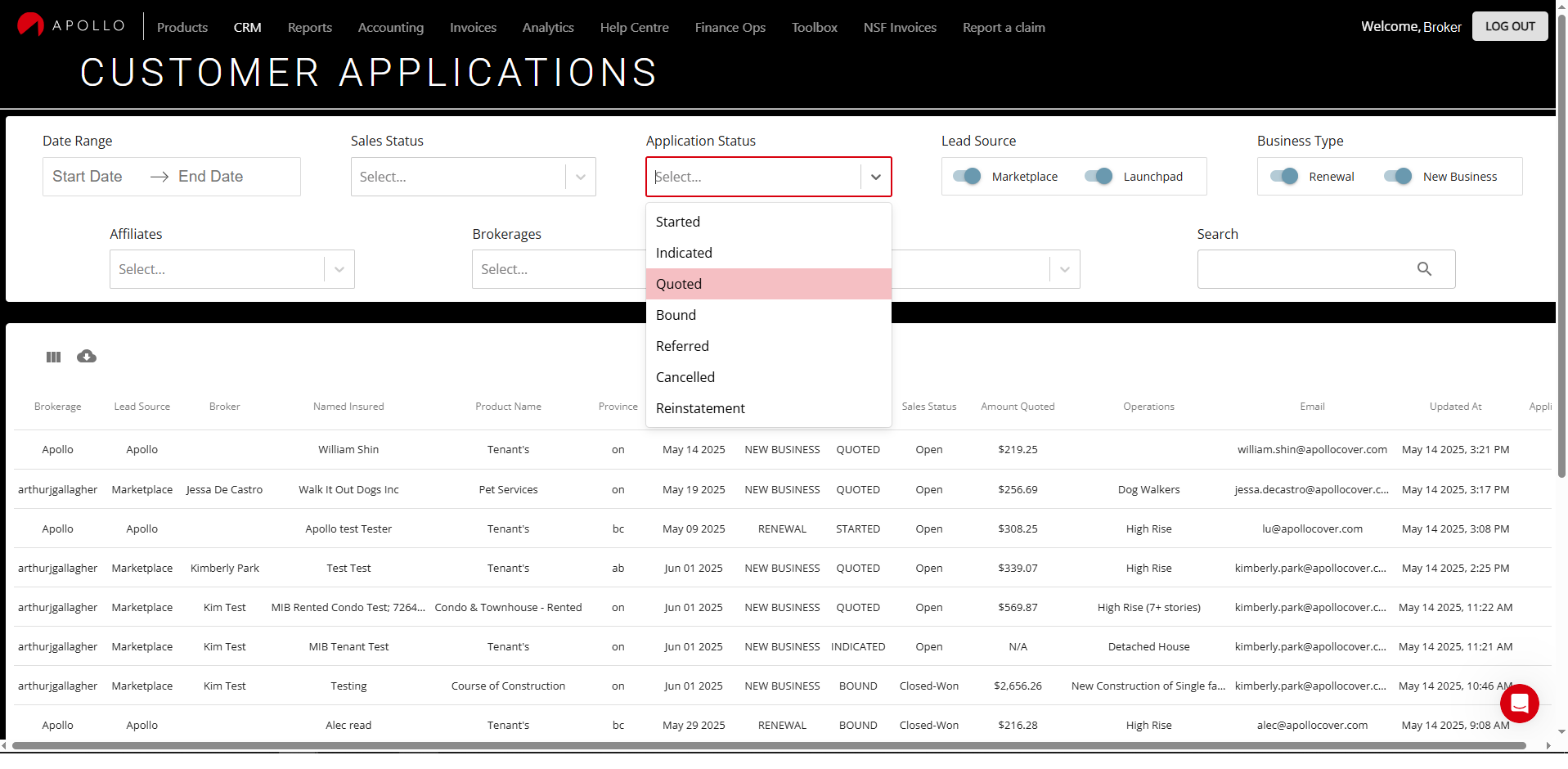
Select the appropriate "Application Status" to view your quotes. From the drop down, select "Quoted".
*As a reminder, only quotes you started when you were logged into the Exchange are available for you to go back to. You won't have access to other quotes started by others. Unless you have special permission to do so.*
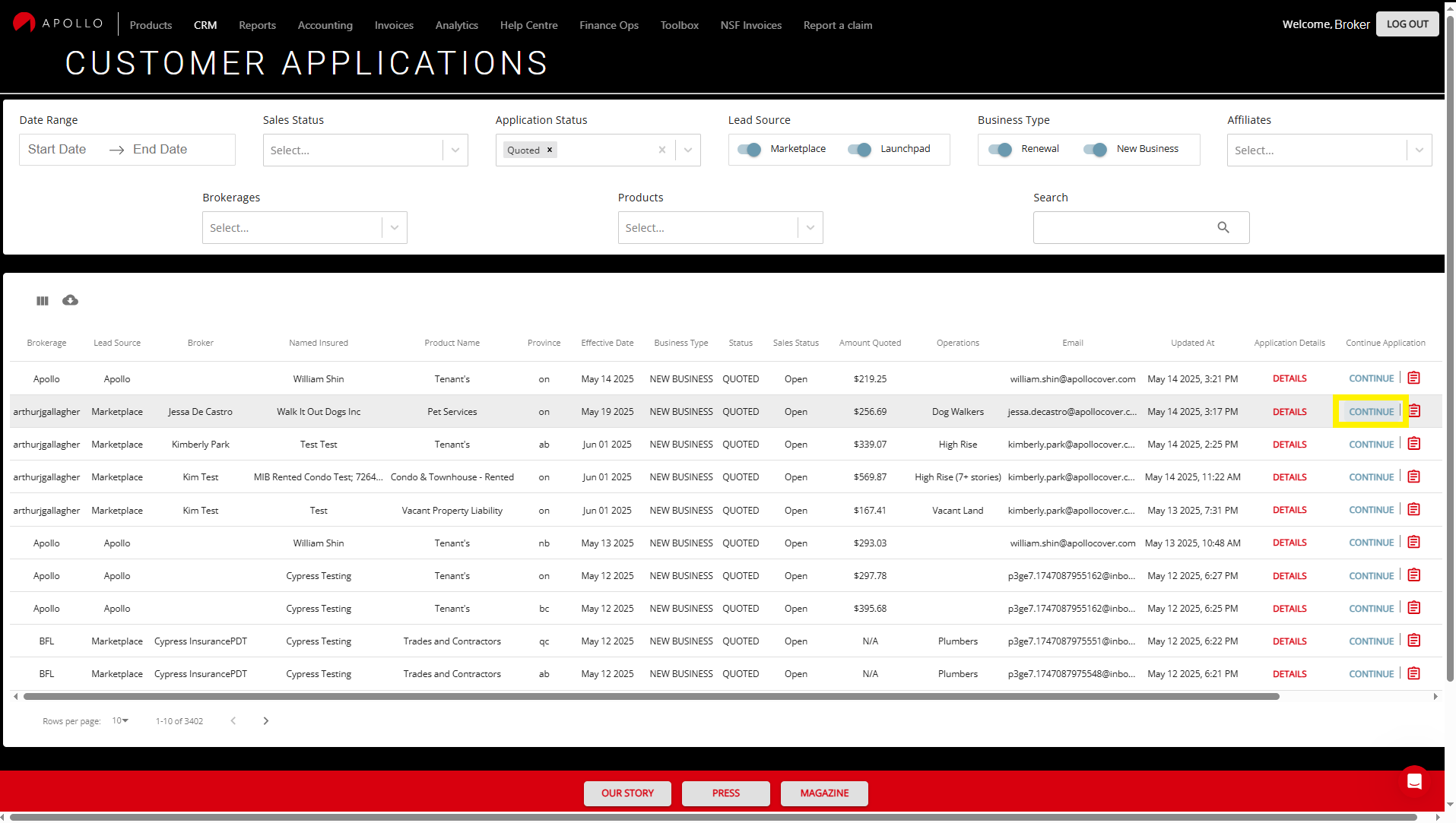
Find the quote you want to make changes to. Scroll to the right, under the "Continue Application" column and click on "CONTINUE". This takes you to the quote.
That's it! You can proceed to make changes before you bind online. Any changes you make to the quote are automatically saved so you can return to it at a later time.