![Apollo_Logo_Red-White.png]](https://supportxe.apollocover.com/hs-fs/hubfs/Apollo_Logo_Red-White.png?height=40&name=Apollo_Logo_Red-White.png)
From your CRM, you can find the quote. Remember to select "Quoted" in the "Application Status" to view quotes only. Scroll to the right under the "Application Details" column. Select "DETAILS". This takes you to the APPLICATION RECORD.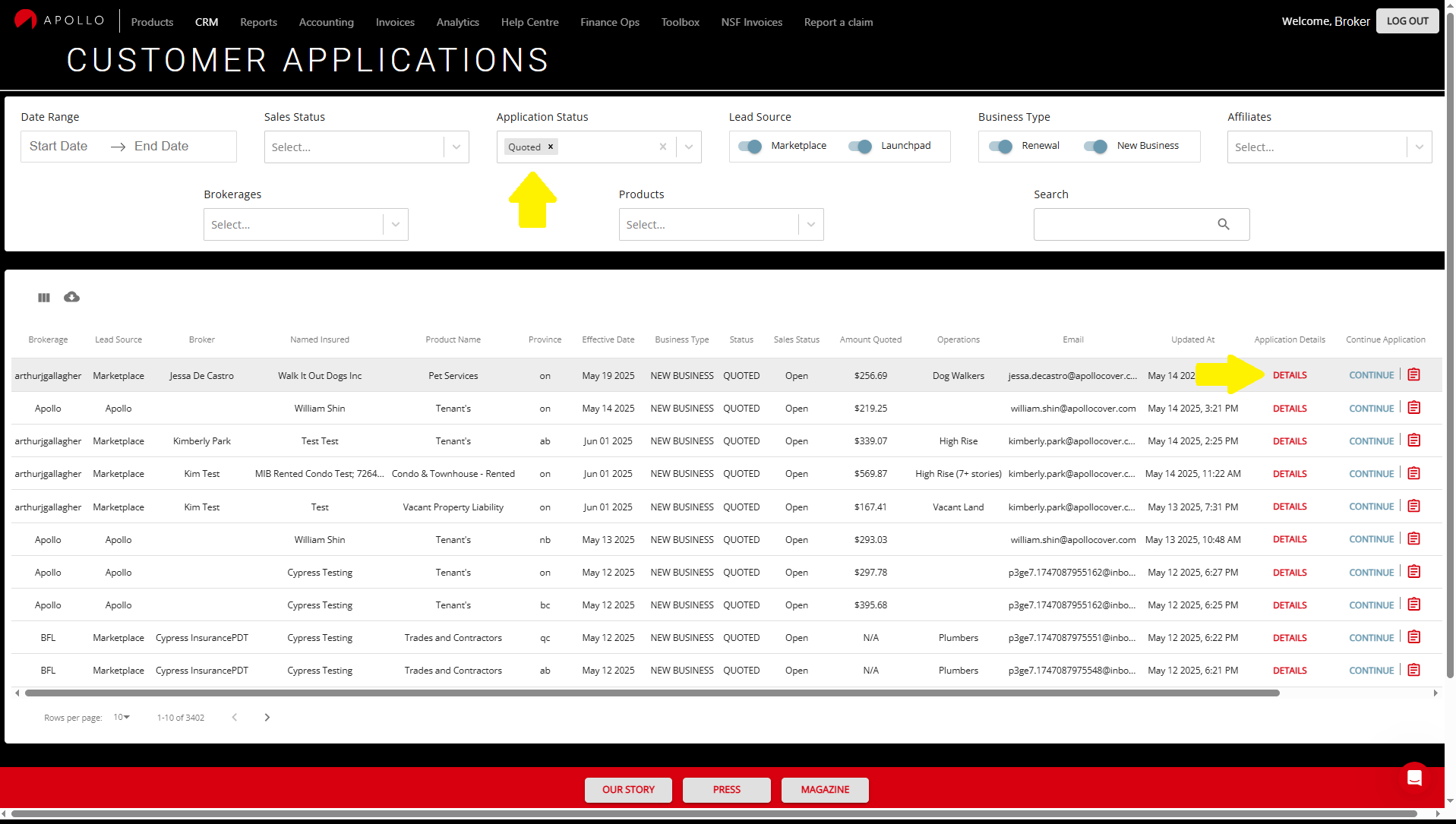
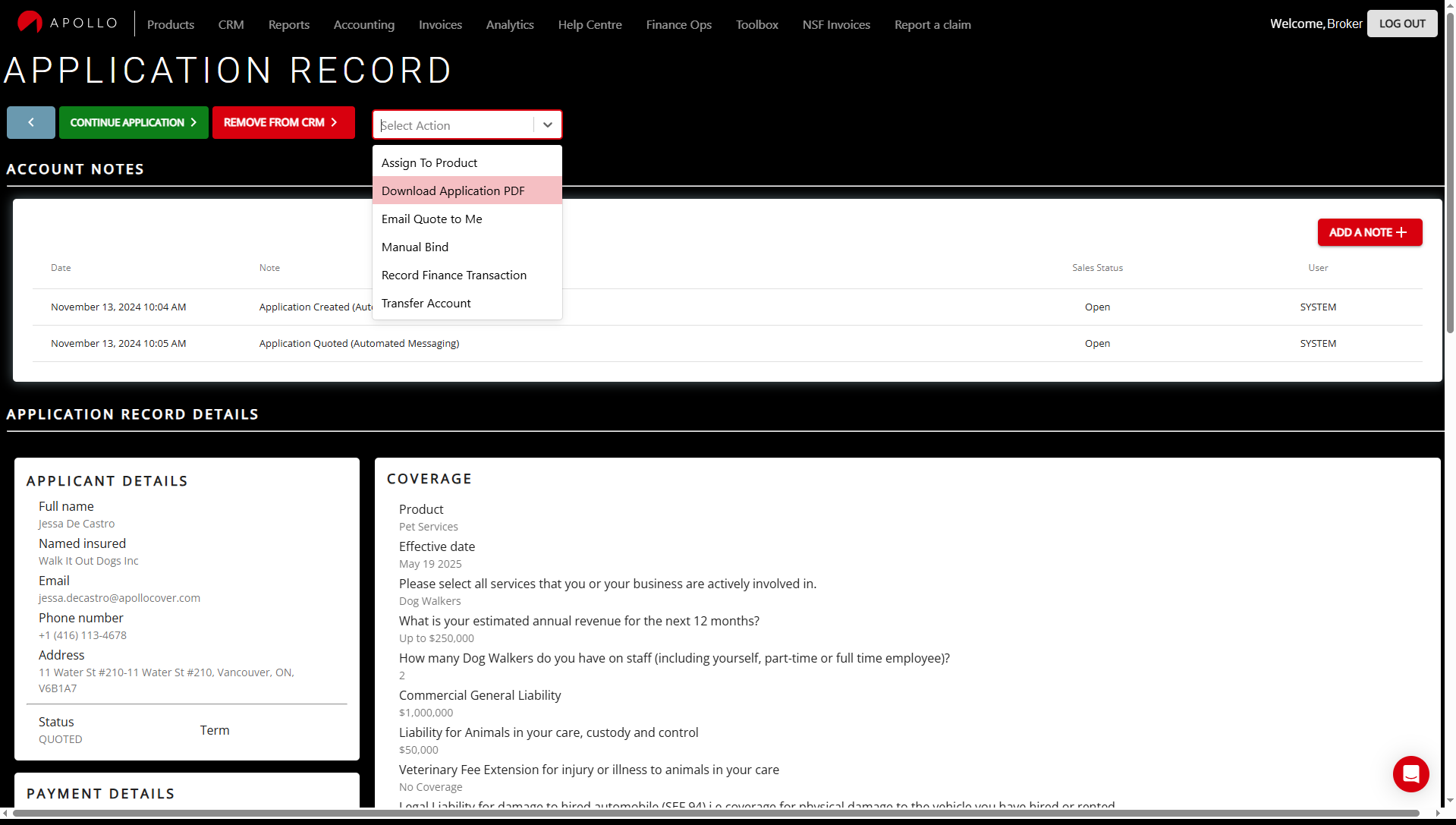
Once in the APPLICATION RECORD, select on the drop down menu named "Select Action". You should see an option "Download Application PDF". This will automatically download the application questions to your computer as a pdf.