![Apollo_Logo_Red-White.png]](https://supportxe.apollocover.com/hs-fs/hubfs/Apollo_Logo_Red-White.png?height=40&name=Apollo_Logo_Red-White.png)
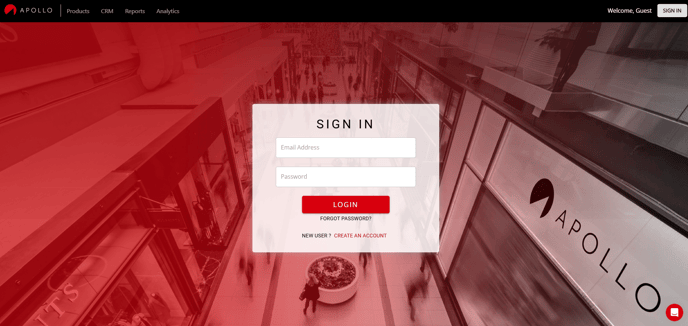
Make sure you're logged in here: https://exchange.apollocover.com/login
If you don't have an account on our Platform, create one using your work email address (this is important to ensure that you can access and service your clients, download commission statements, and receive commissions).
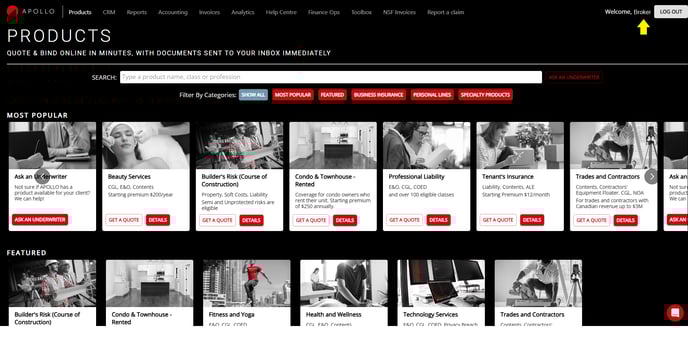
Once logged in, you should automatically be taken to the "PRODUCTS" page. Ensure that you can see your name at the top right corner next to "LOG OUT". This means that any applications you quote or bind will be under your broker login and won't be accessible to anyone else in your brokerage.
There's 1 of 2 ways you can "obtain a quote". Either click on "GET A QUOTE" on one of the product tiles or "DETAILS". The "GET A QUOTE" option takes you to the application right away.
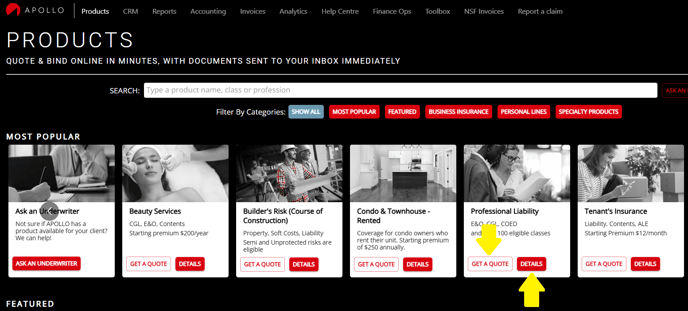
The "DETAILS" option takes you to explore the specific product. You can browse the overview, eligible classes, coverage & wordings, and resources sections from here. When you're ready, the "GET A QUOTE" option is available on this page as well.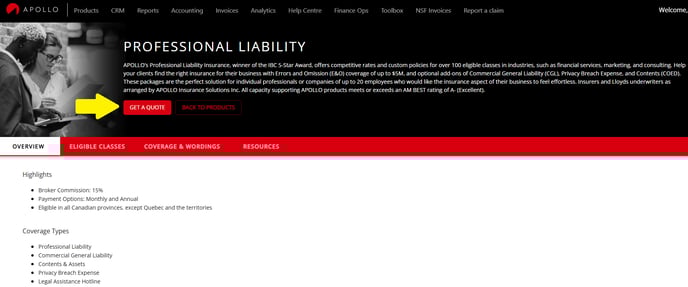
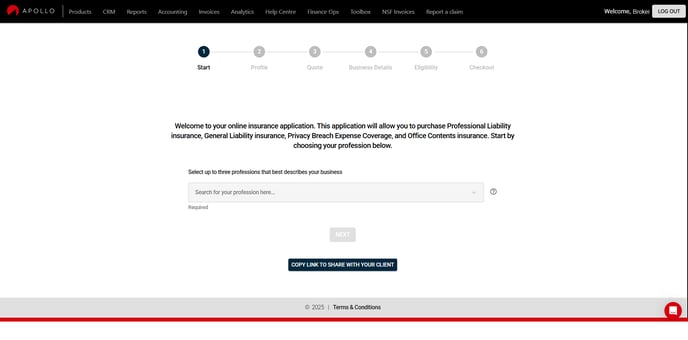
That's it! You're ready to start the online application. Go through the pages of the online application and answer the underwriting questions to obtain a quote. Once you're satisfied, you can bind and make payment online.